Build the show
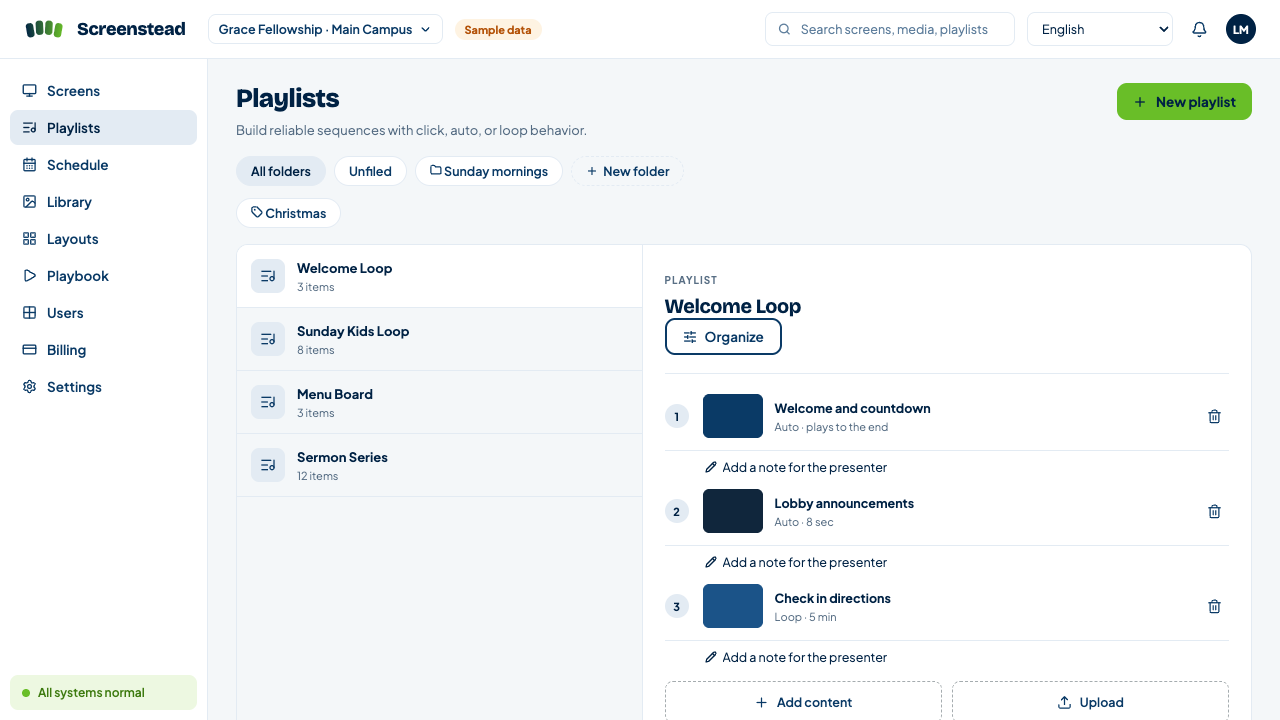
Add photos and videos, then combine them into reusable playlists and layouts.
Build playlists, schedule content, and manage screens across every room, campus, or branch from one clear workspace. Screenstead keeps the last complete show playing when the connection drops.
No credit card required · Pair up to 10 trial screens · Apple TV, Android TV, and browser players
One clear workflow
Screenstead turns signage into three simple decisions, so volunteers and operators can publish with confidence.
Add photos and videos, then combine them into reusable playlists and layouts.
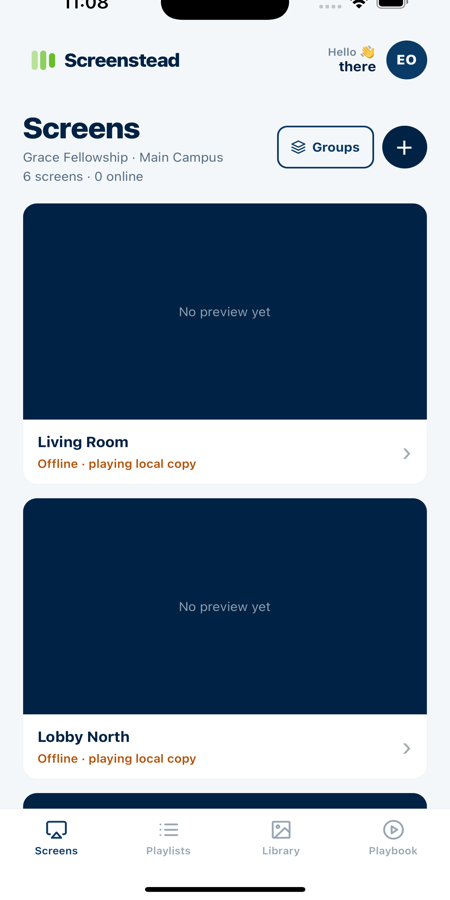
Pair with a six digit code, then organize displays by room, group, campus, or branch.
Send an update immediately or choose the day, time, and location for it to appear.
Playback that stays calm
Native players stage downloaded content before switching. If an update cannot finish, the last complete copy stays on screen.
Apple TV and Android TV use durable offline caching. Browser caching is best effort.
The next show syncs in the background.
The complete update is prepared to play.
The last complete show keeps playing.
Stay in control
Use the web console to check a player, cue the next item in a playlist, or make a quick adjustment from wherever you are.
Remote actions are available on supported current players. Screen health and reported storage stay visible in the same place.
Grow without the mess
Organize screens by campus, branch, office, or venue. Keep media and playlists shared across the organization while screens, groups, and schedules stay clear by location.
Use the hardware you already have
Pair a player with a six digit code, then manage it with the same Screenstead workflow.
Native tvOS playback with remote cueing and a durable offline cache.
View on the App StoreNative playback with DPAD cueing, offline content, and support for compatible online dashboards.
View on Google PlayTurn a supported browser into a paired player for laptops, mini PCs, and dashboard displays.
Open the browser playerWebsite and dashboard items require internet access and are supported on Android TV and browser players. Website playback is not available on Apple TV.
Made for real teams
Start with clear signage, then give every location a workflow people can actually follow.
Coordinate welcome screens, kids rooms, auditoriums, and campuses. Playbook keeps service cues, presenter notes, checklists, and timing in one volunteer friendly run of show.
Explore PlaybookRun welcome screens, menus, internal updates, and compatible live dashboards across offices, branches, and venues from one shared workspace.
Explore locationsSimple pricing
Users, team members, playlists, scheduling, locations, mobile friendly access, and supported player types are included.
Monthly
$10
per active screen · per month
Annual
$99
per active screen · per year
Founding Member
$79
per active screen · per year
Available through 2026
Founding Member pricing is available for subscriptions started on or before December 31, 2026. The price is guaranteed through December 31, 2028.
Create your workspace, pair a player, and publish your first playlist. The show goes on.